Aap apna business grow kijiye. HR hum dekh lenge.
Attendance, employee follow-up, payroll, background verification and reports — all automatic. You don't even need to learn HR software.

Life Before v/s After onboarding ClockIn
Attendance
Before ClockIn
Before ClockIn: Someone takes attendance by hand, or a biometric machine’s data is exported weekly — no real-time data to maintain discipline.
After ClockIn
After ClockIn: Employees mark attendance in the app via beacon, or on a Face Device. Real-time data lets you take immediate decisions and supervise every site.
Follow-up
Before ClockIn
Before ClockIn: You or an associate chase employees every morning. They forget to say they’ve arrived, you have no real-time data, and the daily follow-up frustrates them and sours your relationship.
After ClockIn
After ClockIn: An automated system follows up until employees reach the site and mark attendance via beacon or Face Device. You get real-time data, and with no manual follow-up, your relationship with them never sours.
Easy-to-use HRMS
Before ClockIn
Before ClockIn: Most HRMS are hard to learn at first. They offer great value once learned, but bring complex processes that can make your simple workflow complex.
After ClockIn
After ClockIn: Only the HRMS modules you need, as easy as working in Excel — you’ll feel your time is finally being saved. We manage everything, so you get the most out of it from day 1.
Background verification
Before ClockIn
Before ClockIn: For every new hire you collect Aadhaar and PAN, and run employment and reference checks only if you’re curious.
After ClockIn
After ClockIn: Give us the authority and we run a full background check on every new hire: Aadhaar and PAN authenticity, physical address, criminal record, police clearance certificate and 17+ checks. You focus on the right skill set; we sort out the rest.
Automated WhatsApp reports
Before ClockIn
Before ClockIn: Someone collects and processes attendance data by hand. It takes weeks or over a month, and by the time you get it, the inefficiency has already cost your business.
After ClockIn
After ClockIn: All your data is real-time in the app, but analysing it still takes time — so we automated it. Get WhatsApp reports for attendance and leave, plus custom reports for your business.
Dedicated account support
Before ClockIn
Before ClockIn: Most software gives you basic or priority support — help only once you hit a problem, and you keep figuring things out yourself.
After ClockIn
After ClockIn: You don’t need to learn anything. We ask a couple of questions and set everything up, and your assigned account support person answers your queries from 9 am to 11 pm.
Manual Work
Registers, Excel sheets and phone calls
Automated System
Your support person sets it up and runs it


Attendance System
Beacon
- Easiest attendance method in the industry
- Lowest investment
- Works for the whole workforce, including labour and workers
- No training required
- Labour and workers
- Temporary sites and locations
Assign the beacon to a site from your admin account and place it at the entry. Employees open the app within 1–3 metres, and their face is snapped to mark attendance.
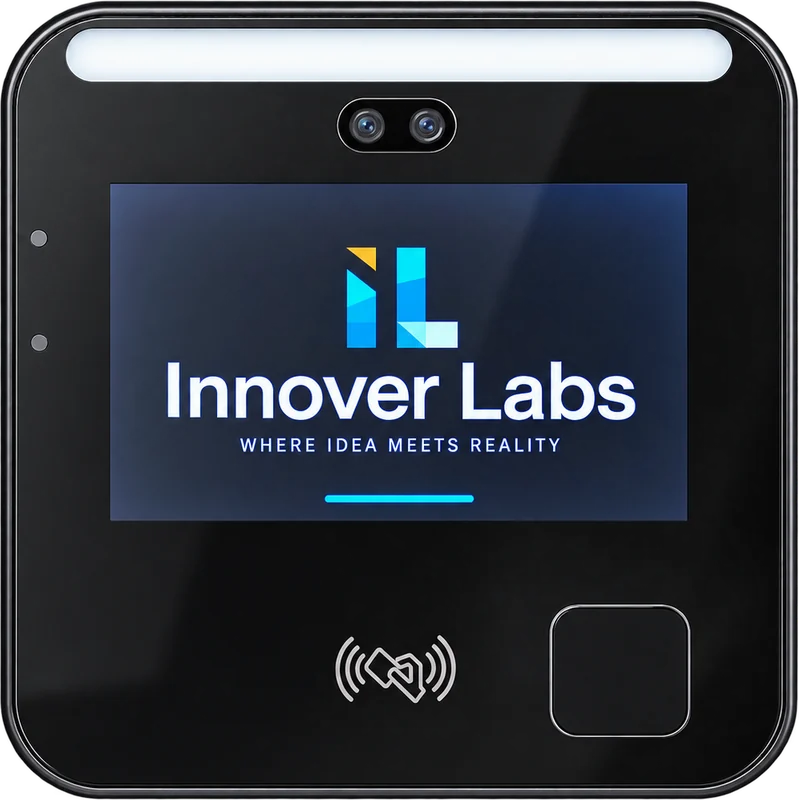
Face Device
- No manual data export or setup
- Fully synced with the platform
- Data available on the platform immediately
- Supports glass and wooden door locks
- Corporate offices
- Secured spaces
- Companies already using a biometric device
Mount the device, turn it on and connect it to the internet. It syncs automatically, and employees just look at it to mark attendance or unlock the door.
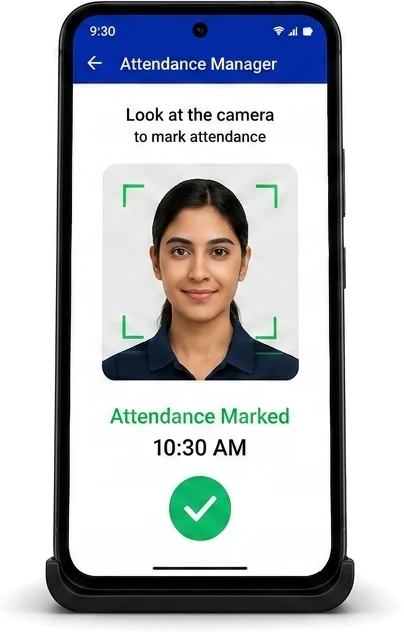
Attendance Manager
- Turn any old phone into a common attendance device
- Zero investment — you only pay for the subscription
- Best for people trying out a new attendance system
- Sites that already have a person to take attendance
- Short-term needs
Log in to Attendance Manager once on any phone and place it on a stand at the entrance. Employees tap Mark Attendance and scan their face.
Automated Employee Followup
- 15 minutes before the shiftShift reminder on WhatsApp
- 25–15 minutes after the shift startsUp to 3 reminders if late (WhatsApp)
- 3Before the cut-offAutomated call to the employee and an alert to the manager
- 4At the shift cut-offAnyone who hasn't clocked in gets a call saying they've been marked absent; a site-wise present / absent / late report goes to the admin's WhatsApp
- 5At the end of the dayEvery employee's clock-in, clock-out and total hours, on the admin's WhatsApp, no login needed
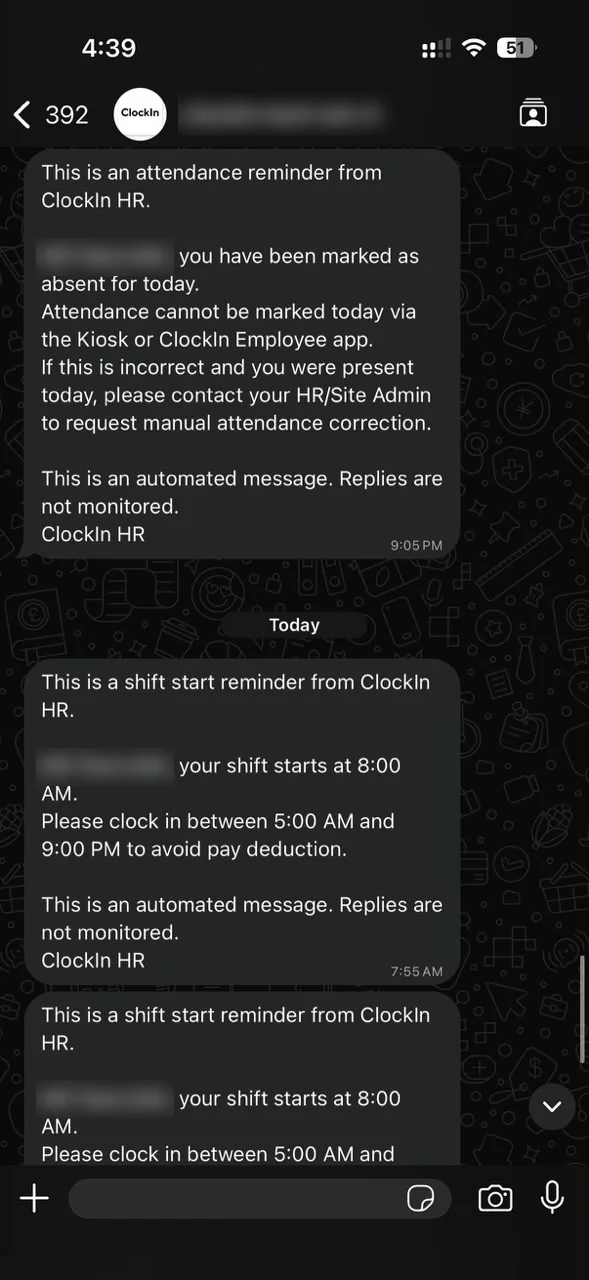
Every day's report, straight to WhatsApp
- Attendance report at the time you choose
- End-of-day clock-in, clock-out and total hours
- Site-wise present / absent / late
- Custom reports to fit your needs
HR modules in ClockinHR
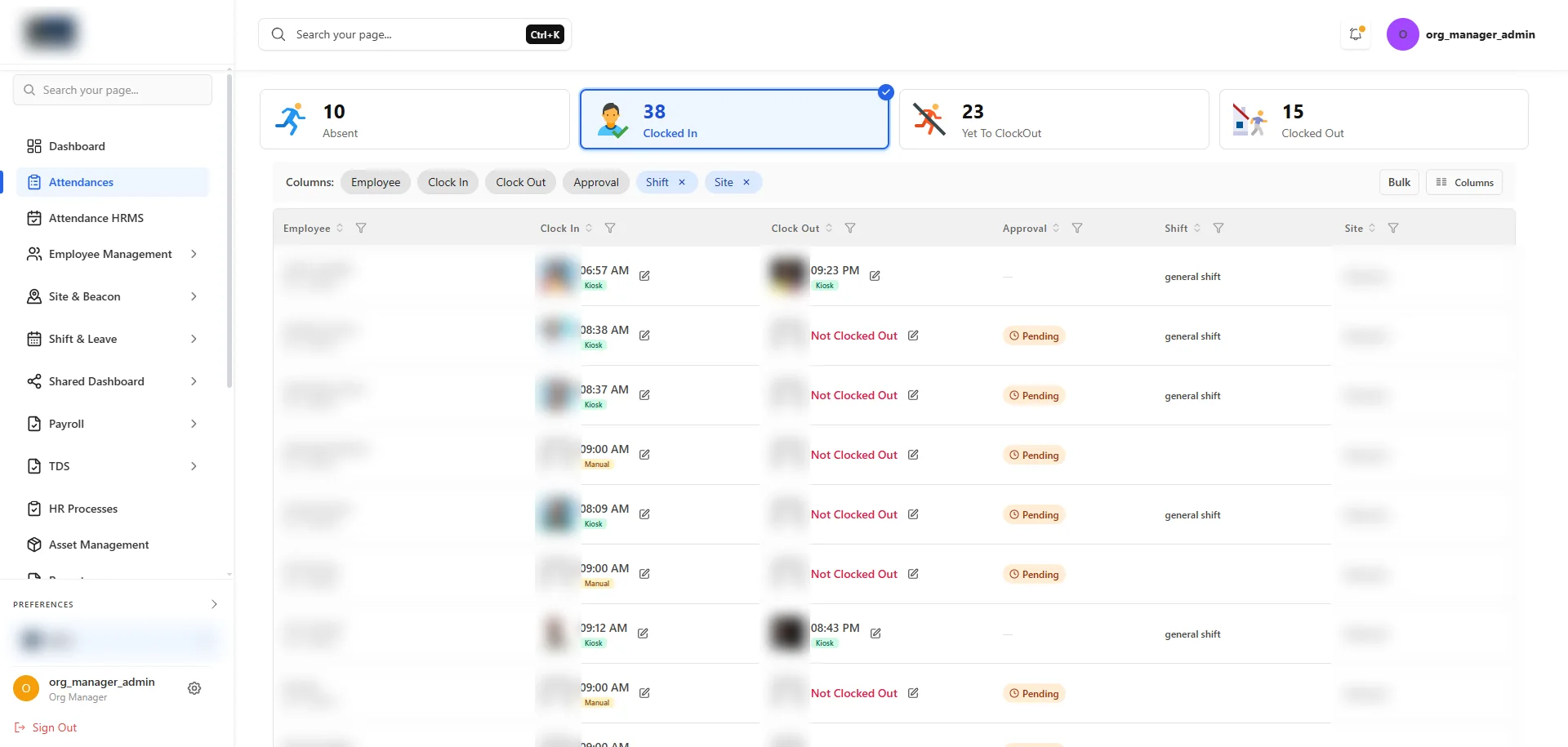
Workforce management
- Shift Management
- Roster Management
- Leave Management
- Shared Dashboards
Employee administration
- Organization User Management
- Employee Onboarding & Offboarding
- Document Generation
- Asset Management
Payroll
- Pay Structure Configuration
- Loan Management (salary advance too)
- Payroll Processing
We run it with you
Your own dedicated support person
Onboarding, setting up shifts and payroll, employee data, reports — one person who understands your setup handles it all. No HR or tech team? That's fine.
Know everything before you hire
18 checks, 5 groups.
Every verification is done with the candidate's written consent, and data is handled as the law requires.
- Identity
- PAN / Passport / Aadhaar / Voter ID
- Education and work history
- Education, employment, reference, UAN
- Address
- Current and permanent — physical visit or digital
- Records
- Criminal record, credit history, police clearance certificate
- Drug screening
- 5 to 10 panel
Pricing
Per service
- Attendance₹8.33 (₹100 a year)
- HRMS₹4.17 (₹50 a year)
- Employee Follow-up₹20 (₹240 a year)
- Dedicated Account Support₹10 (₹120 a year)
Hardware
- Small Beacon₹2,500
- Big Beacon₹3,000
- Face Device₹10,000
- Attendance ManagerNo device to buy
Frequently asked questions
Will I have to learn the software?
No. Your dedicated support person handles setup, configuration and reports.
What do employees have to do?
With a beacon: open the ClockIn HR Kiosk app on their phone within 2–3 metres of the beacon. On a Face Device or shared phone: just show their face.
Will an old phone work?
Yes. Log in to Attendance Manager on any Android phone or iPhone to turn it into a shared face scanner.
How is this different from GPS attendance?
You have to be near the beacon, so attendance cannot be marked from the wrong floor or from outside.
Where do I get the reports?
On WhatsApp, at the time you choose. Custom reports can be set up too.
How does billing work?
Per employee, yearly. All 4 services cost ₹510 per employee per year, which is ₹42.50 per month.
Ready to automate your HR?
A free 30-minute demo — see how ClockIn HR would work in your business.